When I first decided to transform my regular house into a smart home three years ago, I had no idea where to start. The technology seemed overwhelming, and I worried about making expensive mistakes. After countless hours of research and some trial and error, I learned that smart home installation doesn’t have to be complicated. This guide will walk you through everything I wish I had known from the beginning.
What Is a Smart Home?
A smart home uses internet-connected devices to control and monitor your home remotely. You can adjust lights, temperature, security systems, and appliances using your smartphone or voice commands. The goal is to make your life more convenient, secure, and energy-efficient.
Planning Your Smart Home Installation
Before buying any devices, take time to plan your setup. I made the mistake of purchasing random smart gadgets without a clear strategy. This led to compatibility issues and wasted money.
Start by identifying your priorities. Do you want better security, energy savings, or convenience? Most people begin with lighting, thermostats, or security cameras. Choose one area to focus on first, then expand gradually.
Consider your home’s layout and internet coverage. Smart devices need strong Wi-Fi signals to work properly. I had to install a mesh router system to ensure reliable connections throughout my house.
Essential Smart Home Devices for Beginners
Smart Lighting
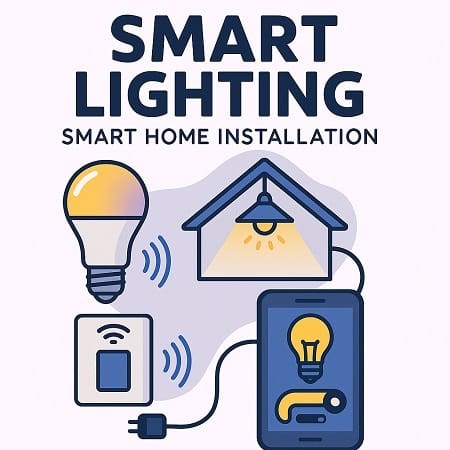
Smart bulbs are the easiest place to start your smart home journey. They don’t require any wiring changes in most cases. Simply replace your regular bulbs with smart ones and connect them to your phone app.
I recommend starting with a few bulbs in frequently used rooms. You can dim them, change colors, and set schedules. The energy savings surprised me – my electricity bill dropped by about 15% after switching to LED smart bulbs.
Smart Thermostat
A smart thermostat can significantly reduce your heating and cooling costs. Most models learn your schedule and adjust temperatures automatically. Installation usually takes 30 minutes to an hour if you have basic DIY skills.
Turn off the power at your circuit breaker before starting. Take a photo of your old thermostat’s wiring before disconnecting anything. This saved me when I forgot which wire went where during my installation.
Smart Security Cameras
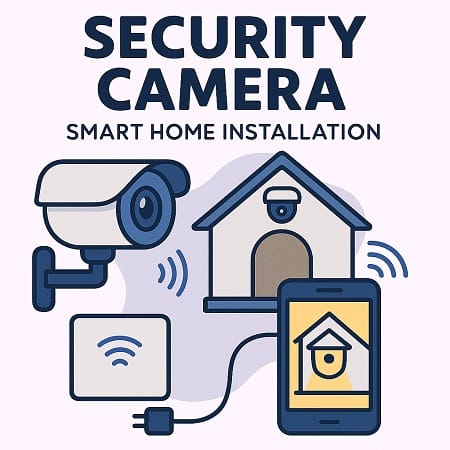
Security cameras give you peace of mind when you’re away from home. Choose cameras with night vision, motion detection, and cloud storage options. Battery-powered cameras are easier to install since they don’t need electrical wiring.
Place cameras at entry points like front doors, back doors, and garage entrances. Avoid pointing cameras at neighbors’ properties to respect their privacy.
Smart Door Locks
Smart locks let you unlock your door using your phone or a keypad code. This is incredibly convenient when your hands are full of groceries or when you need to let someone in while you’re away.
Most smart locks fit standard door preparations, but measure your door thickness and backset before purchasing. Installation typically requires a screwdriver and about 20 minutes of your time.
Step-by-Step Installation Process
Setting Up Your Network
A strong, reliable internet connection is crucial for smart home success. I upgraded to a high-speed internet plan and installed a mesh Wi-Fi system. This investment pays off when all your devices work smoothly together.
Create a separate network for your smart devices if possible. This improves security and prevents smart devices from slowing down your main network.
Installing Your First Device
Start with the simplest device on your list. For most people, this means smart bulbs or a smart plug. Read the manufacturer’s instructions carefully and download the required app before beginning.
Follow the app’s setup wizard step by step. Most devices enter pairing mode automatically when first powered on. If not, look for a reset button to hold for a few seconds.
Connecting to Your Phone
Each smart device needs its own app initially, but you can often control multiple brands through a central hub later. Popular options include Amazon Alexa, Google Home, or Apple HomeKit.
I use Google Home as my main controller because it works with most brands and has reliable voice recognition. Set up voice commands for frequently used actions like “turn off all lights” or “lock the front door.”
Troubleshooting Common Issues
Connection Problems
Weak Wi-Fi signals cause most smart home frustrations. If a device keeps disconnecting, move your router closer or add a Wi-Fi extender. Smart devices typically need a 2.4GHz network, not 5GHz.
Restart your router if multiple devices stop responding. I keep a schedule to reboot my router monthly, which prevents many connectivity issues.
Device Not Responding
When a smart device stops working, try turning it off and on again. This simple step fixes about 80% of problems in my experience. If that doesn’t work, check if the device needs a firmware update through its app.
Reset the device to factory settings as a last resort. You’ll need to set it up again, but this usually solves persistent problems.
Smart Home Security Tips
Smart homes can be vulnerable to hackers if not properly secured. Change default passwords on all devices immediately after installation. Use strong, unique passwords for each device and your Wi-Fi network.
Enable two-factor authentication whenever possible. Update device firmware regularly to patch security vulnerabilities. Most devices can update automatically if you enable this feature.
Consider which devices really need internet access. Some smart switches and dimmers work locally and don’t need constant internet connections.
Budget-Friendly Smart Home Ideas
You don’t need to spend thousands of dollars to enjoy smart home benefits. Start with smart plugs, which cost under $15 each and can make any device “smart.” Use them to control lamps, fans, or coffee makers.
Smart light switches often provide better value than individual smart bulbs if you have multiple bulbs in one room. One $25 switch can control several regular LED bulbs.
Look for sales during major shopping events. I got my smart doorbell for half price during Black Friday. Many manufacturers offer starter kits that cost less than buying devices individually.
Expanding Your Smart Home
Once you’re comfortable with basic devices, consider adding sensors for temperature, humidity, or motion. These can trigger automated actions like turning on lights when you enter a room or adjusting the thermostat based on occupancy.
Smart speakers with voice assistants make controlling everything much easier. I use voice commands for about 90% of my smart home interactions now.
Garden enthusiasts might enjoy smart sprinkler controllers or soil moisture sensors. Pet owners often love smart pet feeders and cameras designed for monitoring animals.
Final Thoughts
Smart home installation doesn’t have to be intimidating. Start small, learn as you go, and expand gradually. Focus on solving real problems in your daily life rather than buying gadgets just because they’re cool.
My smart home has made life more convenient and secure while reducing energy costs. The key is patience and planning. Take your time, read reviews, and don’t be afraid to ask for help when needed.
Remember that technology changes quickly. What you install today might be outdated in a few years, so avoid overspending on any single device. The most important investment is a good Wi-Fi network that can support your growing collection of smart devices.
With proper planning and installation, your smart home will provide years of convenience and peace of mind.
Read More:-