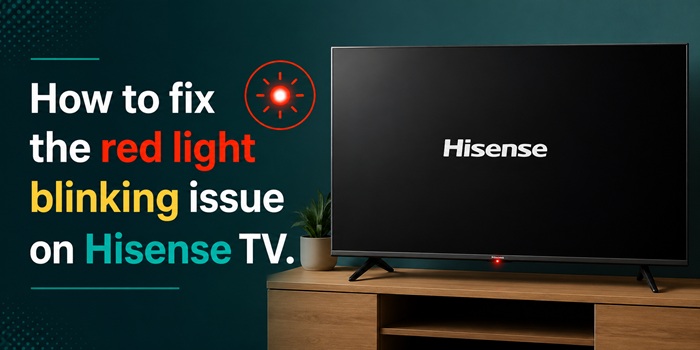
What to do when the Hisense TV is not turning ON? If so, you should check whether there is any RED light blinking on your Hisense TV. If yes, I could help you to fix the error. I am talking about this kind of error. Keep reading.
You may experience the Hisense TV Red light blinking several times, like 2, 3, 4, 5, 6, or even up to 9 times. After blinking, nothing happens. Hisense TV stays with a black screen. The issue is commonly found in both normal smart and Roku model TVs.
Does it mean something goes wrong with your TV? First of all, let me tell you this is not a complicated error.
What does it mean RED light is blinking on the Hisense TV?
When the Hisense TV RED light flashes, it means the TV has some internal issues. The issue may be due to the standby mode, technical glitches on the circuit board, issues with the power circuit, etc.
Technically, there are different meanings when the RED LED light comes on based on the number of times it flashes.
When there is a beep sound along with the RED flashing, we can confirm that the error occurred on the TV circuit board.
| Red Light Blinking Codes | Reason |
|---|---|
| Blinking 2 Times | (Backlit Failed) Black screen error |
| 3 Times | Cricuit board glitch |
| 4 - 5 times | Power supply issue |
| 6 Times | Standby mode |
| Up to 10 times | Communication failed with remote |
How to fix Hisense TV’s red light flashing error?
Check the cable connection
You should check the cords that are connected to the TV to external devices and the power outlet. Check that all the cables are connected nicely. Make sure that there is no voltage variation when switching on the power.
When there is damage to the power outlet box, you can check by connecting the TV to another source via an extension box.
Disconnect any externally connected devices
Check all the connected devices. You may connect other streaming devices like Roku stick, FireTV, etc. Check if the device is connected properly. The software on the connected device will load when your Hisense TV turns on, and this may cause the RED light blinking error.
So, disconnect the externally connected device, and then after the TV turns ON, reconnect it and use it.
Power recycle
This is the most common troubleshooting tip we usually use when there is any issue with electronic gadgets. Apply the same technique here. Almost all the vulnerabilities belonging to the Hisense TV will be fixed then.
Disconnect your TV from the power, and then wait for 2 or 3 minutes. Then replug and give the power supply. This could refresh your TV and other hardware parts. If this doesn’t help, you could wait up to a few hours after disconnecting from the power source.
Push the power button for a while
If your Hisense TV won’t turn ON properly and continues to blink in RED, you could push the power button on the TV for a while till the TV turns off. This could attempt to restart your TV while solving any start-up issues.
When an error occurs when your TV starts turning ON, this will happen.
Resetting is an option (What to do for OLD and NEW model TVs?)
Though resetting and updating the Hisense TV firmware is the best method to solve all the problems, we can’t use this method when you have a very old model TV that doesn’t bear a RESET button. You should use a remote control to reset it.
In any case, if the TV has turned ON, the first thing you should do is reset your TV and update the software. This will give an enhanced machine.
If you are using a new model Hisense smart TV or Hisense Roku TV, there will be a small reset button on the backside of the TV. Without disconnecting from the power source, press and hold down the button for a few seconds until the TV’s RED light stops and restarts.
Check the remote control’s health
When there is no proper communication between the TV and the remote control, the RED light will blink several times. If you have a poor battery inserted in the remote and the remote doesn’t notify you when the charge is low, you should replace the batteries.
If you are using any third-party universal remote on your Hisense TV, you should use the original remote. If your friend or family member has the same branded TV, you could bring their original remote control to test along with your TV.
If it worked, you should avoid the current universal remote. Instead, buy a new original or universal remote for your TV.
Bring your TV circuit board for a check-up/ Claim the warranty
I know you are not an electronics expert. So, if none of the above troubleshooting tips fix your Hisense TV’s RED light blinking codes, check the TV, especially the circuit board.
You can easily claim the warranty when your TV doesn’t exceed the warranty period. When the TV is within the warranty, don’t bring it to an external repair shop. Take it to the official Hisense authorized center. They’ll examine your TV and will get the issue fixed.
Read More:-